
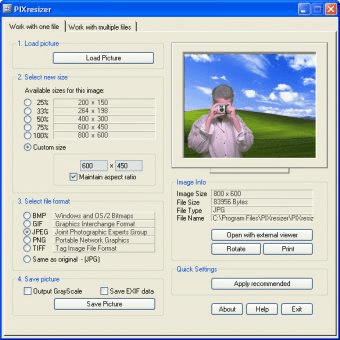
PIXresizer is a very vital software tool for those users who own a website or a website developer. PIXresizer, as the name itself suggests, is a software tool for resizing the photo and the output comes out with drastically reduced file sizes. The conversion is quicker as it can allow resizing of multiple image files in batch mode. The user don’t have to worry about losing the original file as it saves the output file in different folder rather than replacing the original file. PIXresizer understands the needs of users very well as it automatically identifies the size of input image file and manages the best fit suitable as per the required output. PIXresizer is very supportive tool as it supports various file formats like .bmp, .gif, .jpg, .png, and .tif. Moreover, PIXresizer has got some extraordinary features which make this software tool very attractive and easy -to-use. Some of these excellent features are: it allows users to rotate images as per their convenient need and converting the image to grayscale mode. Most importantly, in spite of all these facilities provided, PIXresizer guarantees that there is no comprise made in its final output by ensuring highly qualitative result.





Comments (5)